
How to join the walkie-talkie to the repeater in use
2021-11-22

source:pttcn.net
Some amateur radio personnel will set up relay stations to increase the communication distance. The relay stations are all transmitting and receiving at different frequencies. It is possible to increase or use a fixed positive and negative difference frequency method (the receiving frequency is the same, and the transmitting frequency is increased or decreased) to reach the middle. Transfer function. Some relay stations will add a password (CTCSS/DCS) or unspecified positive and negative difference frequencies. For detailed frequency information, please consult the local amateur relay station personnel.
Let's follow this example:
Receiving frequency: 413.750 (downlink)
Transmission frequency: 408.750 (uplink)
The difference frequency is: -5.000M
Mute audio (CTCSS): 71.9
1. Enter the receiving frequency
In VFO (frequency mode), directly input in sequence on the CN-595 keyboard: 408750 (receiving frequency)
2. Select the difference frequency direction
Press the function key and then the number key "5" to enter the shortcut setting of the frequency difference direction. Repeated operation will select the frequency difference reduction "-" → frequency difference addition "+" → simplex mode in turn.
Because our downlink frequency is: 413.750MHz, minus the uplink frequency: 408.750MHz, it means that the frequency difference is -5.0000MHz. At this time, you choose the difference frequency direction as "-" difference. If the frequency difference is positive, select "+" Poor.
3. Select the beat frequency
Press the function key, and then press the number key "9" to enter the menu mode. Use the up and down keys to adjust to item 4 and set the frequency difference (OFFSET).
After pressing F key to confirm, start to input the difference frequency you need, such as 05.000MHz, press function key to save and exit.
Now the uplink and downlink frequencies are set, and you will find that after pressing the PTT transmit button, the frequency will change from receiving frequency 413.750MHz to transmitting frequency: 408.750MHz. If your local relay station does not have encrypted sub-audio, you can now enjoy the fun of the relay station.
4. If necessary, select CTCSS/DCS function
Sub-audio is generally divided into CTCSS analog sub-tone frequency, DCS digital sub-tone number.
If the relay station needs to be set to receive the sub-audio, press the function key, and then press the number key "7", if you need to transmit the sub-audio, press the function key, and then press the number key "8".
After entering the sub-audio setting, you can use the up and down keys to select the mute code you want, such as 71.9, and press the "*" key to switch between CTCSS and DCS. When the small horn icon is displayed on the CN-595 screen, it means that CTCSS is turned on, and when the letter "D" icon is displayed on the screen, it means that DCS is turned on.
5. Start the call
The setting is complete. If you confirm that your location is within the signal range of the repeater, press the PTT transmitter button and there should be an echo. If not, it may be because your settings are incorrect or you are not in the signal. Within range.
Of course, you can also store the channel by pressing the function key and then pressing the "*" key, so that you can switch to the channel mode through the "V/M" key for quick selection.
Hytera Provides Reliable Network Communication for COP15 Security
Amateur radio volunteers support communications for Tour de Lincoln Bicycle Event
Related Article

A practical guide to testing two-way radio coverage in the environment where people will actually depend on it.
Why a Radio Coverage Test Can Pass— and the System Still Fails in Real Operation

Most radio operators never take grounding seriously—until their gear is fried. This piece exposes three fatal grounding traps, from shallow rods to mixed signal-and-power grounds, then hands you a six-step, code-compliant checklist drawn from NEC Article 810 and IEEE Std 142. Copy this homework instead.
A grounding error can instantly fry your radio—Installation guide for radio system lightning protection

Professional walkie talkie earpiece guide covering how to put on, wear, and use earpieces correctly. Features brand-specific tips for Motorola, Hytera, Baofeng, and more with structural comparisons for optimal comfort and performance.
How to use walkie talkie earpiece?- The Complete Guide to Walkie Talkie Earpiece Setup
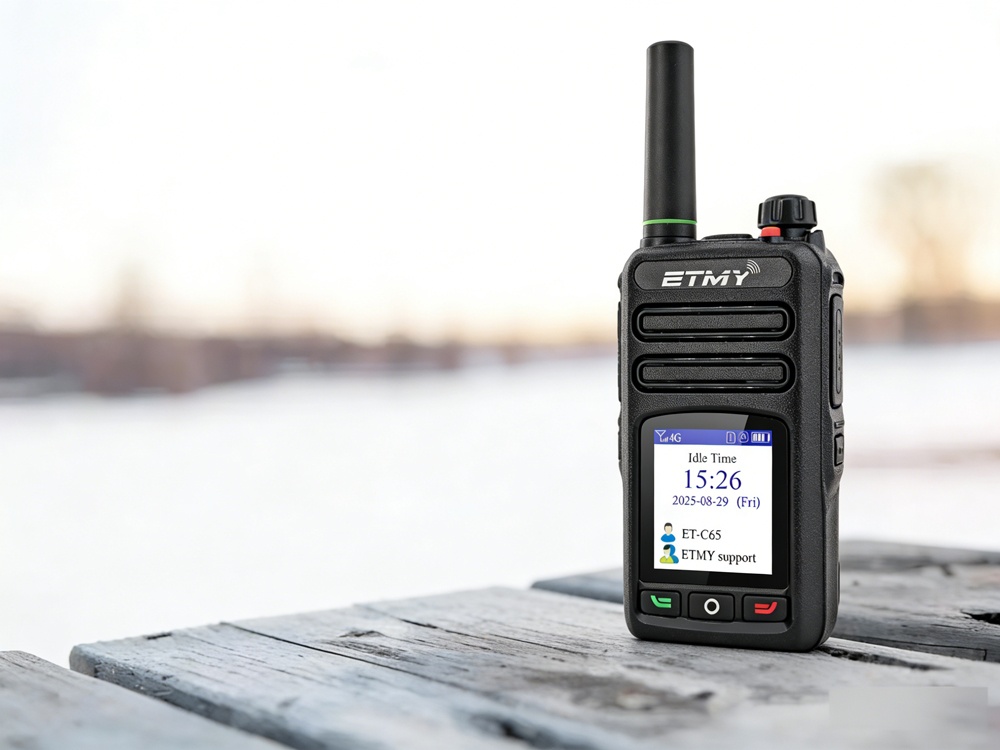
A recent industry report highlights PoC radio adoption for faster, long-distance team communication. Designed for cellular network connectivity, these radios improve coordination in public safety, logistics, and field operations, while offering beginner-friendly setup guidance to ensure reliable activation and compliance.
How exactly do you use a newly acquired PoC radio?